
How to Create and Manage RFQs in SAP MM
Updated 10/12/20262 min read
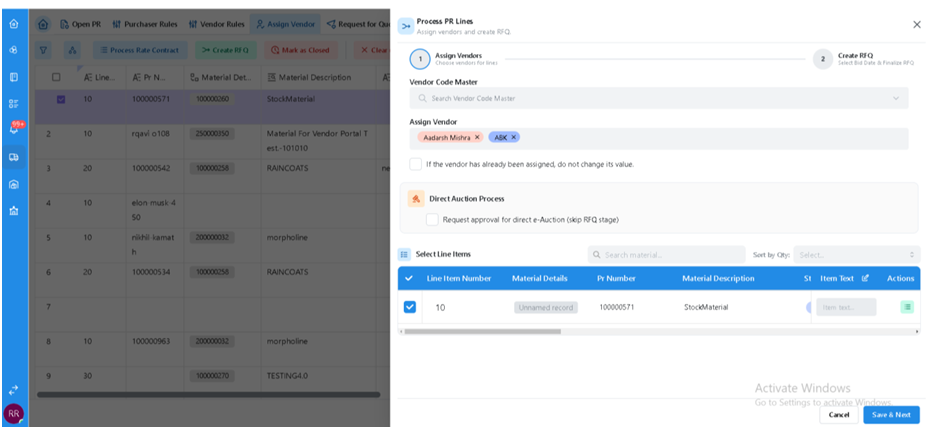
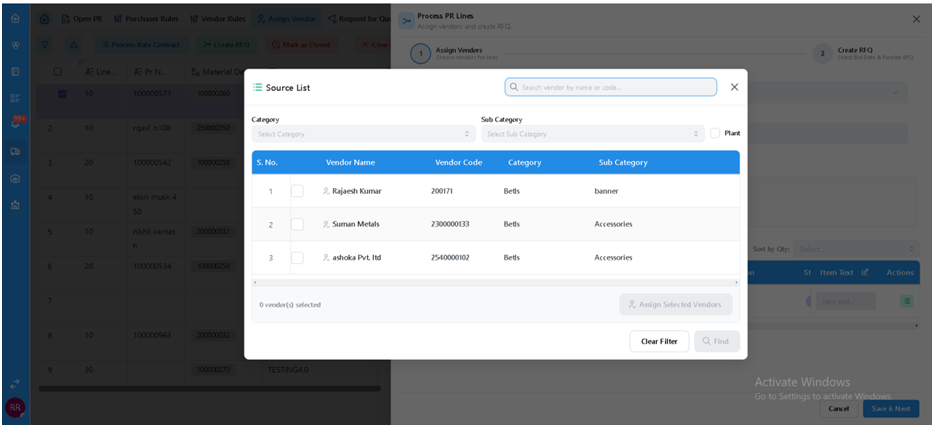
A Request for Quotation (RFQ) asks selected vendors to provide price, delivery and commercial terms for a requirement. In the documented process, the purchaser creates the RFQ after assigning vendors to the PR line item.
Steps to create an RFQ
1. In the portal, open the relevant PR/RFQ-to-Order area and select the PR line item or items.
2. Choose Create RFQ. In SAP, the source references ME41 for an RFQ with reference to a PR, or the applicable Fiori RFQ app.
3. Confirm the RFQ type, purchasing organization, purchasing group, quotation deadline, validity and selected vendor list.
4. Save the RFQ. The system generates an RFQ number.
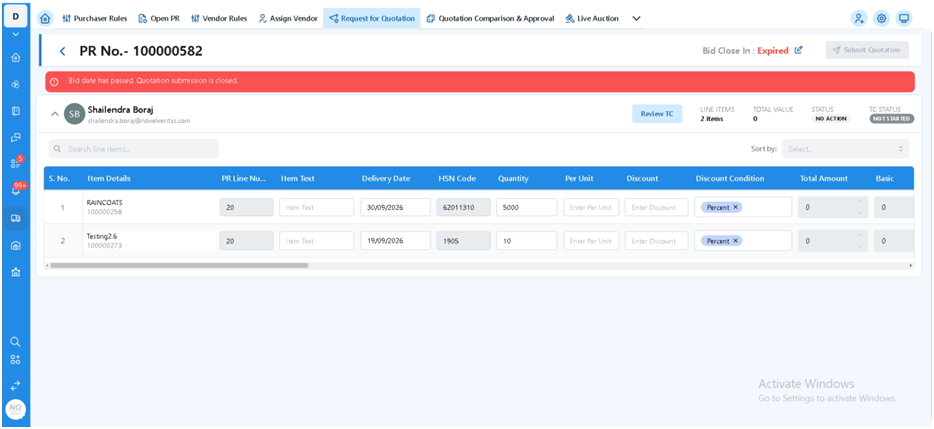
5. Make the RFQ available to the invited vendors through the Vendor Portal, or use the configured e-mail/print route for one-time vendors.
6. Monitor RFQs using the applicable SAP list transaction.
RFQ monitoring transactions
|
Transaction |
Use stated in the source |
|
ME4N |
Display / monitor by RFQ number |
|
ME4L |
Display / monitor by vendor |
|
ME4M |
Display / monitor by material |
|
ME4S |
Display / monitor by collective number |
|
ME41 |
Create an RFQ, including with reference to a PR |
Configuration and process controls
· Maintain RFQ document types and number ranges under SPRO → MM → Purchasing → RFQ/Quotation → Define Document Types / Number Ranges.
· Confirm output determination, message type, form and e-mail settings.
· Confirm collective-number and quotation-deadline handling.
· The source says the RFQ retains a reference to the PR item and updates PR status to help prevent a duplicate RFQ or PO for the same quantity. Validate this behavior in the configured portal/SAP system.
FAQs
Q. Which transaction creates an RFQ?
A. ME41 is the transaction cited in the source for creating an RFQ, including with reference to a PR.
Q. What information should be checked before saving?
A. RFQ type, purchasing organization, purchasing group, quotation deadline, validity and vendor list.
Q. How can I find an RFQ by vendor?
A. The source lists ME4L for monitoring by vendor.
Q. How can I find an RFQ by material?
A. The source lists ME4M for monitoring by material.
Q. How do vendors receive the RFQ?
A. The documented process makes it available in the Vendor Portal or sends it by configured e-mail/print for one-time vendors.
Related content
Is this article helpful?
Help us improve our articles.