
Viewing Individual User Reports
Updated 8/18/20262 min read
While the LMS Report gives you the big picture, the User Report feature zooms all the way in—showing a complete training history for a single learner.
How to View a User Report:
- Go to Management Layout > User Report
- Search for the learner by name or user ID
- View their full profile, including:
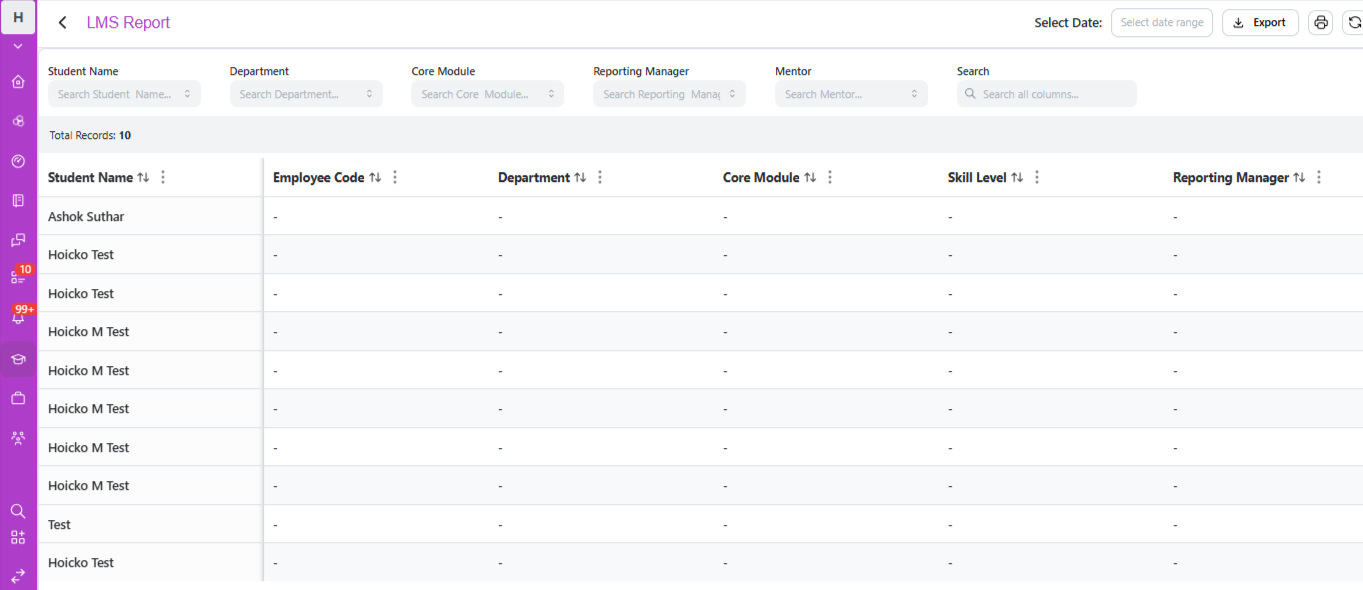
- Enrolled courses and programs
- Progress percentage for each
- Quiz scores and attempt history
- Certification status
- Any flagged delays
When to use a User Report:
- A manager asks about a specific employee's training completion status
- You need to verify whether a learner genuinely completed a required compliance course
- A learner disputes a quiz result or certification status, and you need the full record to investigate
Reading a User Report effectively: Rather than just checking whether a learner is "Passed" or "Failed," look at the full pattern — how long they took to complete each course, how many quiz attempts they needed, and whether delays were a recurring issue across multiple assignments. This context often explains a result better than the final status alone.
Best practices:
- Use User Reports as a follow-up tool after spotting a flagged delay on the dashboard, to get the full context before reaching out to the learner
- Keep a habit of periodically spot-checking User Reports for high-priority learners (e.g., those in mandatory compliance training) even without a specific trigger
- Combine User Report data with direct learner feedback when investigating unexpected results — the data shows what happened, but not always why
The User Report is your most detailed, ground-level view of training data in Taksha LMS — essential whenever a question requires more than an aggregate number.
FAQs: What does a user report show?
A learner's full course history, progress, quiz scores, and certification status.
When should I check a User Report?
When verifying a specific learner's completion or investigating a dispute.
Related content
Is this article helpful?
Help us improve our articles.