
Uploading Videos and Files
Bring Your Lessons to Life
Updated 8/18/20261 min read
Taksha LMS supports multiple content formats within each topic, allowing you to combine video, downloadable files, and written content in whatever mix best suits your material.
Supported content types:
- Video— upload directly from your device or embed a video link
- Files— PDFs, slide decks, or documents that learners can download and reference
- Text content— written instructions, explanations, or notes displayed directly within the topic
How to upload content:
- Open the topic you want to add content to
- Click Add Content
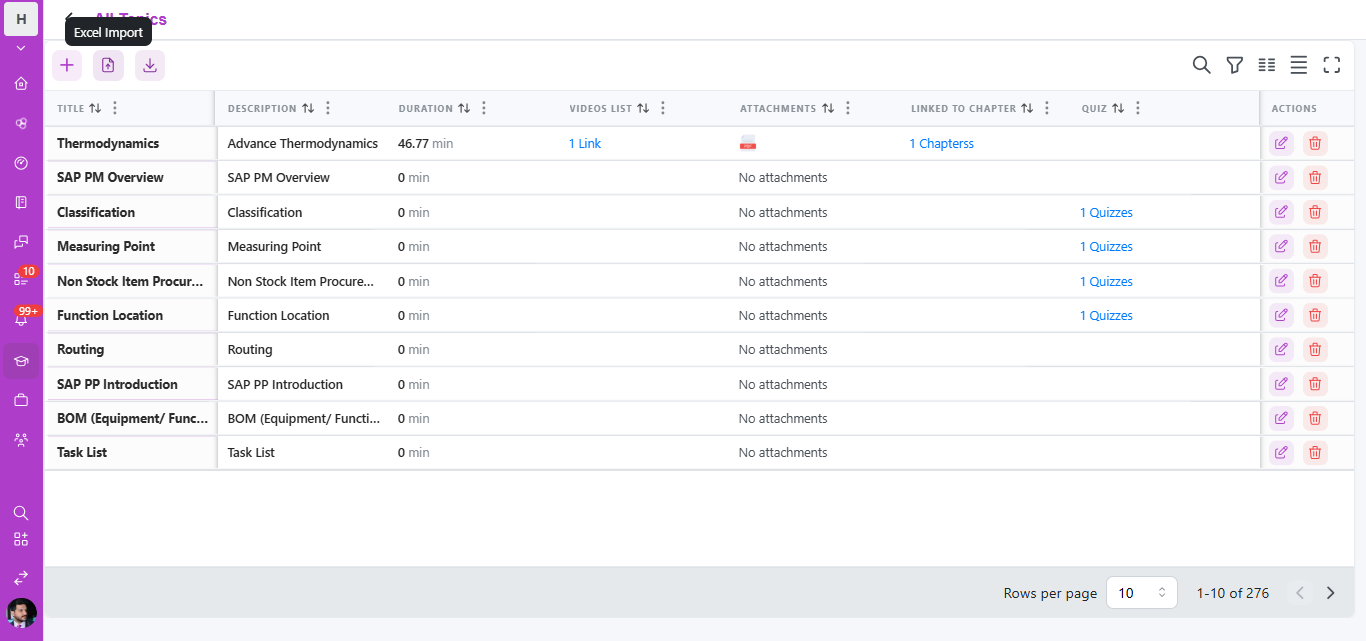
- Choose the content type (video, file, or text)
- Upload from your device or paste an embed link, depending on the content type
- Save—the content will now display to learners assigned to that course
Best practices for uploading content:
- Keep videos reasonably short and focused; long, unstructured videos tend to see lower completion rates
- Pair videos with a downloadable file (like a summary or reference sheet) so learners have something to revisit later
- Use descriptive file names before uploading, since some interfaces may display the file name to learners
- Check file size and format requirements shown on the upload screen to avoid failed uploads
Troubleshooting upload issues:
- If a video fails to upload, check that it meets the supported format and size limits
- For slow uploads, ensure a stable internet connection, particularly for larger video files
- If content doesn't display correctly for learners after uploading, refresh the course preview to confirm it published correctly
Mixing content formats thoughtfully—rather than relying on video alone—tends to improve both engagement and completion rates across a course.
FAQs:
What content types are supported?
Videos, files (PDFs, slides), and text content.
What if a video upload fails?
Check the format and size limits shown on the upload screen.
Related content
Is this article helpful?
Help us improve our articles.