
Adding Topics to a Chapter
Updated 8/18/20261 min read
Topics are where the actual learning happens — each one represents a single, focused lesson within a chapter. Getting topic-level structure right has a direct impact on how well learners retain the material.
Adding a topic:
- Open the chapter you want to add content to
- Go to the Topics tile
- Click Add Topic
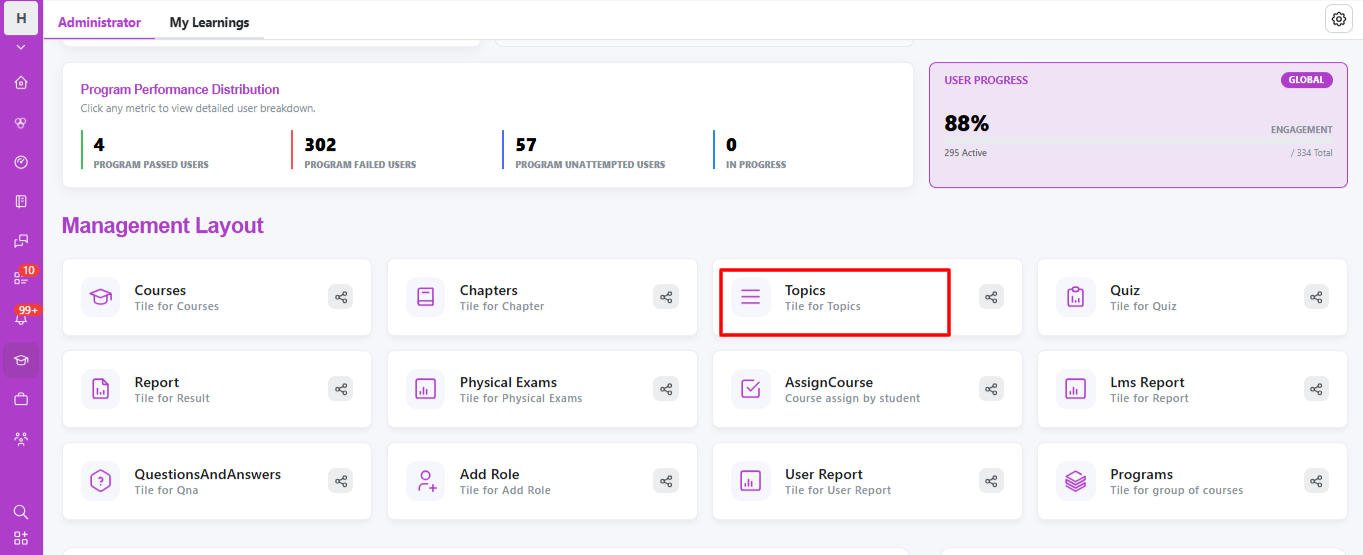
- Give it a clear, descriptive name that tells the learner exactly what they'll learn
- Attach the relevant content (video, file, or text)
How granular should a topic be? A good topic covers one specific idea — not an entire subject. For example, instead of one large topic called "Company Policies," break it into smaller, focused topics like "Leave Policy," "Code of Conduct," and "Expense Reporting." This makes it easier for learners to track completion and revisit specific lessons later without scrolling through unrelated content.
Organizing topics within a chapter: Topics can be reordered within a chapter, similar to chapters within a course. Arrange them in a logical learning sequence — foundational concepts first, followed by more advanced or specific details.
Tips for effective topic design:
- Keep each topic focused on a single learning outcome
- Use consistent naming patterns across topics so learners know what to expect (e.g., all topics starting with an action verb)
- Pair every topic with content that's appropriately sized — a two-minute video and a ten-minute video shouldn't be forced into topics of the same visual weight
Well-designed topics are the foundation of a course that feels easy to follow rather than overwhelming.
FAQs:
How detailed should a topic be?
Each topic should cover one focused learning point, not an entire subject.
Can topics be reordered within a chapter?
Yes, arrange them in a logical learning sequence anytime.
Related content
Is this article helpful?
Help us improve our articles.