
Setting Up User Roles & Permissions
Updated 8/18/20262 min read
Before you start adding learners in bulk, it's important to set up your role structure. Roles determine who can create courses, who can view reports, and who has full administrative access—and getting this right early prevents access issues later.
Why roles matter: Not everyone in your organization needs the same level of access. A department manager might need to view reports for their team but shouldn't be able to delete courses. An instructor might need to build content but shouldn't have access to billing or role management. Taksha LMS lets you define these boundaries clearly through custom roles.
How to create a new role:
- Navigate to Management Layout > Add Role
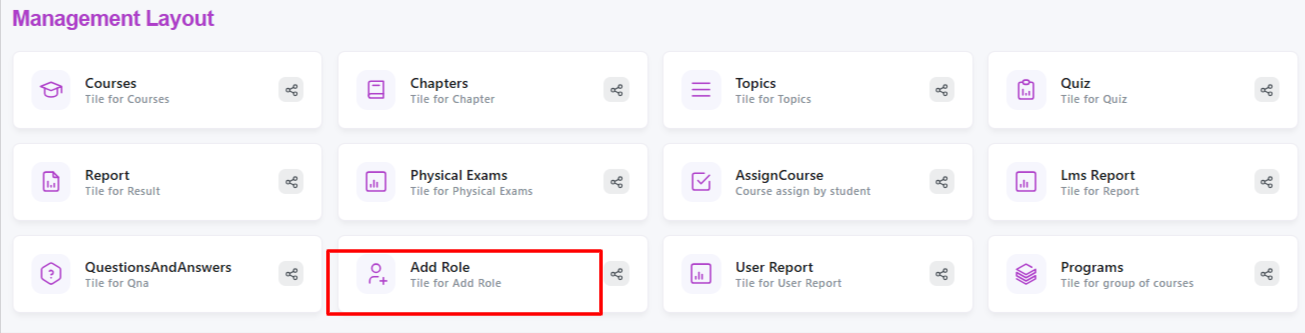
- Click Add New Role
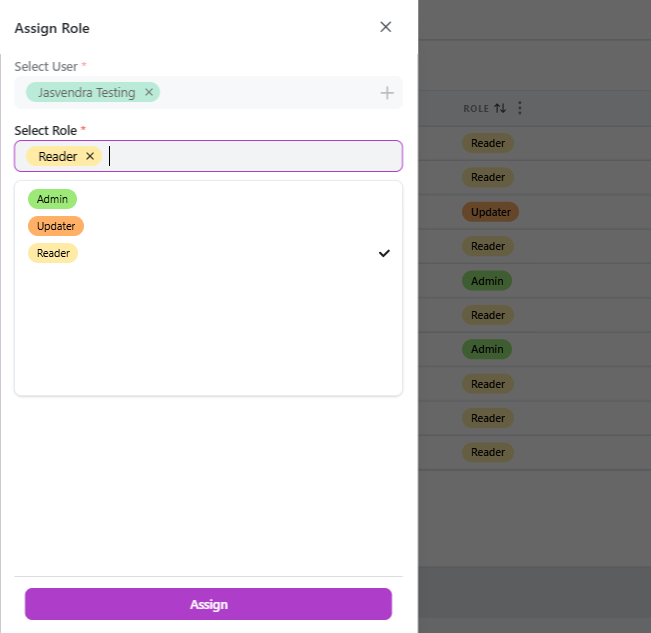
- Enter a clear, descriptive role name—common examples include Admin, Instructor, Department Manager, or Learner
- Select the specific permissions this role should have (e.g., course creation, report access, learner management)
- Save the role—it will now appear as an option whenever you add or edit a user
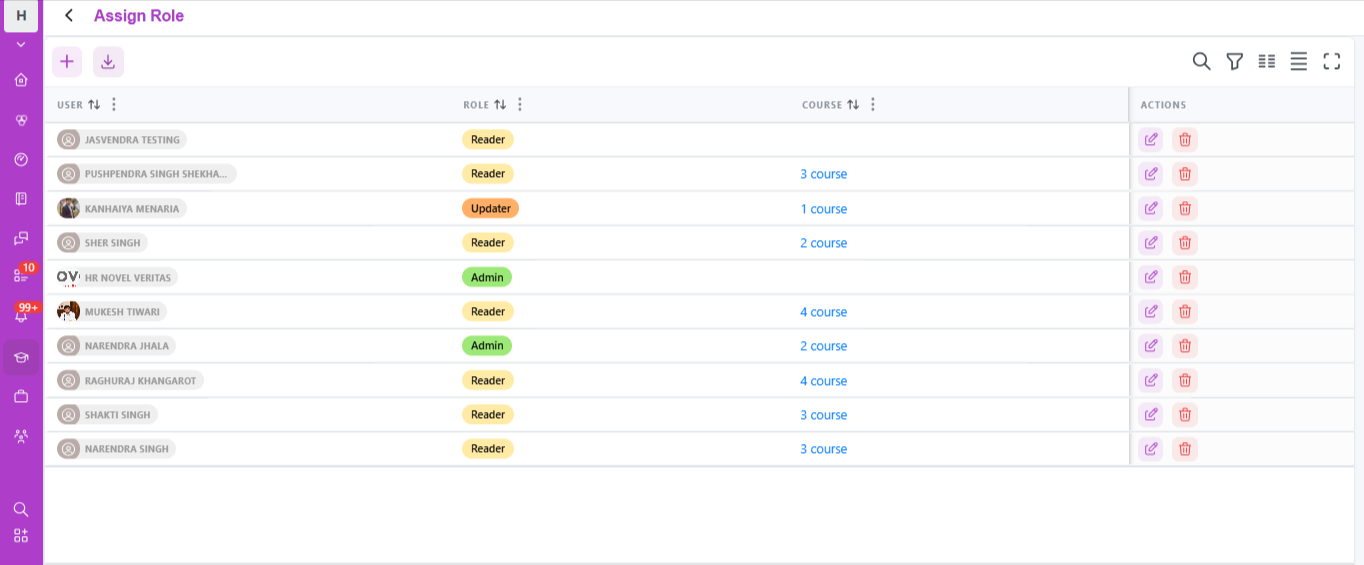
Common role types and what they typically need access to:
- Super Admin—full access to every feature, including role management and system settings
- Instructor / Content Creator—access to course, chapter, topic, and quiz creation, but limited access to organization-wide reports
- Manager / Team Lead—access to assign courses and view reports for their specific team or department
- Learner—access limited to the My Learnings tab, with no administrative permissions
Best practices for role setup:
- Start with fewer, broader roles and refine them as you understand your team's actual usage patterns
- Avoid giving every admin full Super Admin access—limit sensitive permissions to a small, trusted group
- Review roles periodically, especially as your organization grows or team responsibilities shift
A clean role structure set up early saves significant cleanup work later, especially as your learner base scales into the hundreds or thousands.
FAQs:
Why should I set up roles before adding learners?
It prevents access issues and keeps sensitive permissions limited to trusted users.
Can I edit a role after creating it?
Yes, roles and their permissions can be updated anytime from Add Role.
Related content
Is this article helpful?
Help us improve our articles.