
How TatvaAI Flags Critical, Risk & Watch Items
Updated 8/31/20262 min read
The value of a Control Center depends on how well it flags the right items. This article explains the kinds of signals TatvaAI uses to determine whether an entity is critical, at risk, or simply worth watching.
Signals Behind a Customer Flag
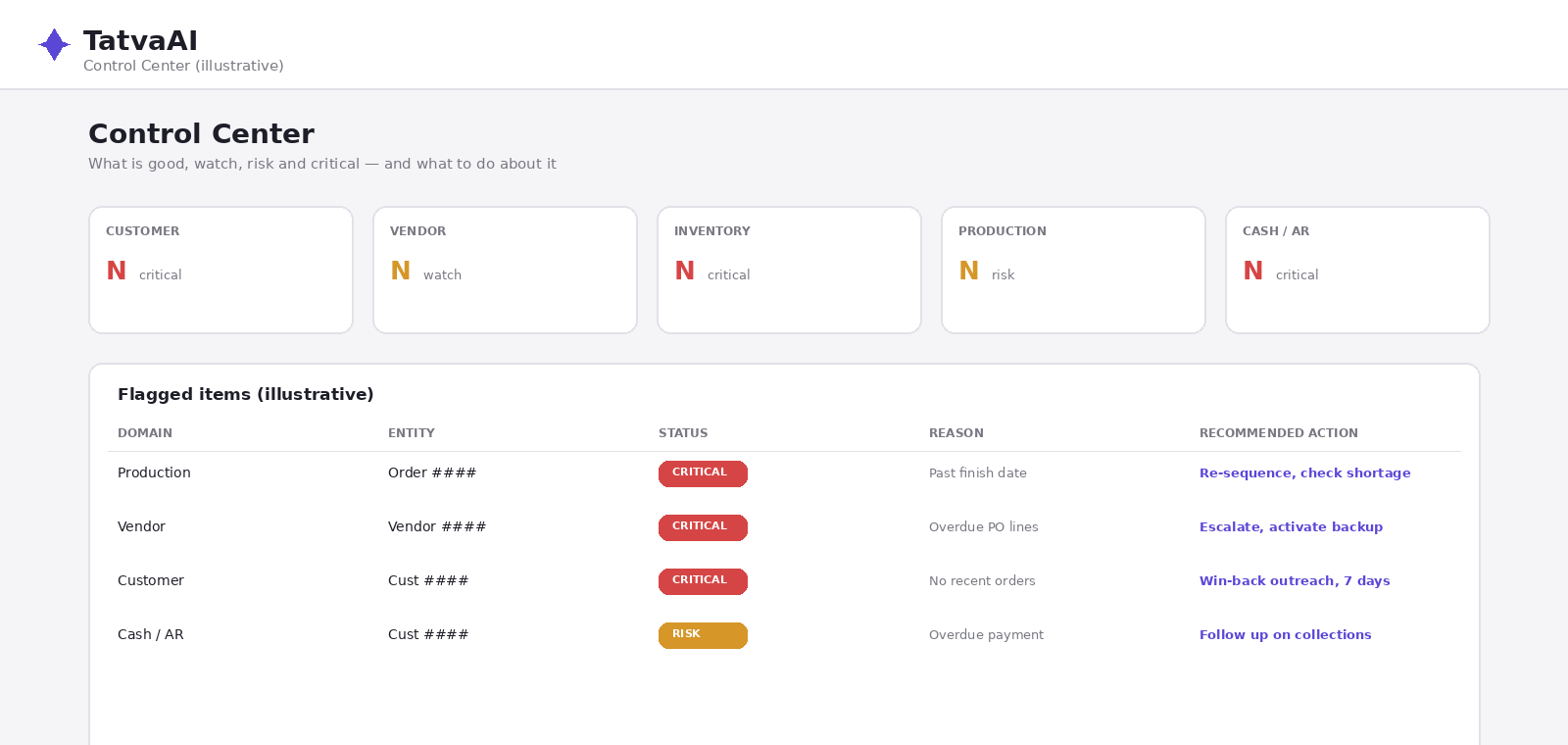
A customer might be flagged critical based on signals such as no recent orders despite a history of regular purchases, or revenue over a trailing period dropping sharply. The "reason" column next to each flagged customer typically states the specific trigger, such as "no recent orders" alongside a revenue figure for context.
Signals Behind a Vendor Flag
Vendors are often flagged based on overdue purchase order lines — for example, a vendor with many lines significantly past their expected delivery date. The flag typically includes both a summary value (like total overdue PO value) and the number of overdue lines, including how late the worst one is.
Signals Behind a Production Flag
Production-related flags often relate to orders sitting well past their finish date with open quantity still outstanding — indicating a delay that could affect downstream commitments.
Signals Behind a Cash / AR Flag
Cash and receivables flags typically relate to revenue concentration or overdue payment patterns — such as a customer representing a large amount of revenue over the last 12 months but showing no recent order activity, suggesting a churn risk worth a win-back outreach.
Reading the Recommended Action
Each flagged item comes with a specific, actionable recommendation rather than a vague warning — for example, "escalate to vendor management, activate backup source, expedite" for an overdue vendor, or "win-back outreach within 7 days, check open returns/complaints" for an at-risk customer. This turns a flag from a passive alert into a concrete next step.
Practical Use Case
An operations lead reviewing the Control Center each morning can filter to "Active (excl. GOOD)" items, sort by domain, and immediately see which critical items have the highest financial impact — prioritizing their day around the recommended actions rather than starting from scratch.
FAQ
Q1: What triggers a customer to be flagged?
Signals such as no recent orders after a history of regular purchases.
Q2: What triggers a vendor to be flagged?
Often overdue purchase order lines and how late they are.
Q3: What does a production flag usually indicate?
An order running well past its expected finish date.
Q4: What does the recommended action provide?
A specific next step, not just a warning.
Q5: How can I focus on the most urgent items?
Filter to "Active (excl. GOOD)" and sort by domain or impact.
Related content
Is this article helpful?
Help us improve our articles.