
Hoicko Board Permissions: Manage View & Column Access
Updated 9/23/20262 min read
More control over your boards, views, and columns—now in Hoicko.
Managing a board with different teams and members? You may not want everyone to see or edit the same information.
With the latest Hoicko update, board owners can now manage access to specific views and control permissions for individual columns.
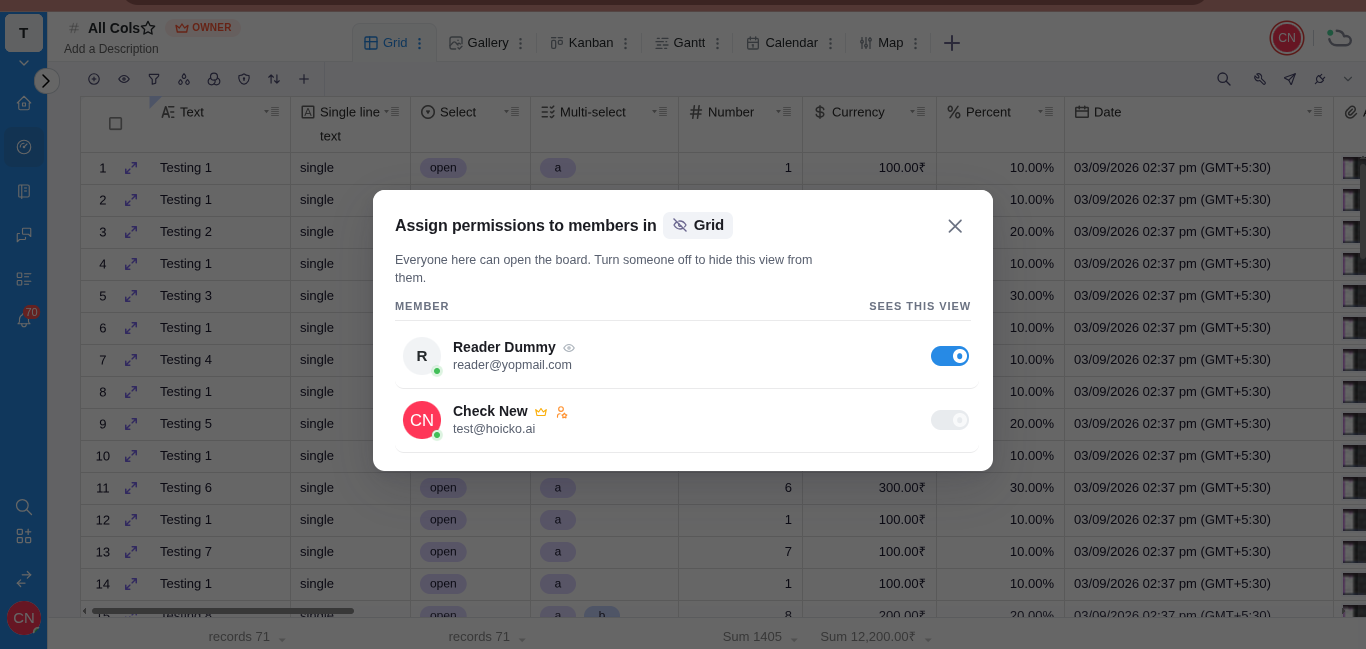
Choose Who Can Access a View
Board owners can decide who should have access to a particular board view:
- All Members— Make the view available to everyone on the board.
- Team Only – Give access to members of a specific team.
- Selected Members – Choose specific members who can access the view.
This makes it easier to keep each view relevant to the people who actually need it.
Set Permissions for Individual Columns
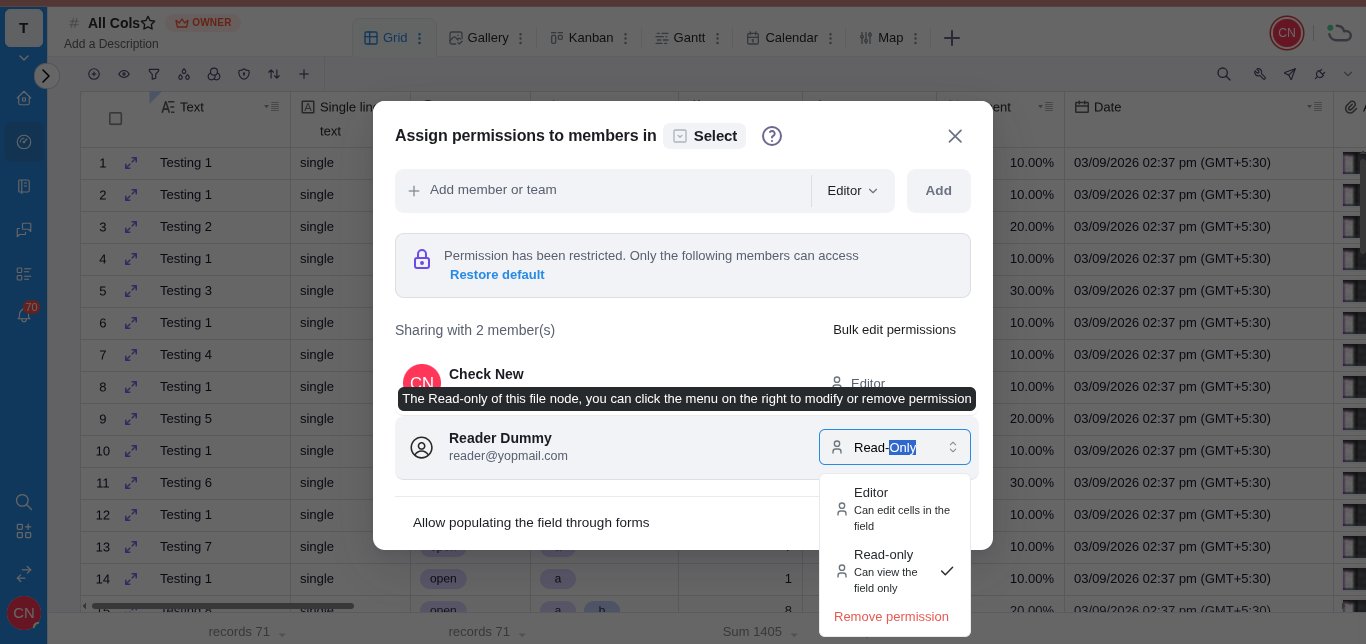
You can also control what members can do with specific columns on your board.
Choose from:
- Editor
Members can view and edit the column. - Read-only
Members can view the information but cannot change it. - Remove Permission
Remove access to the column when a member no longer needs it.
Why Use These Permissions?
Different people work with different parts of the same board.
For example, a manager may need to edit information, while another team member may only need to view it. Some information may also need to stay visible only to a specific team.
With these new access controls, you can manage all of this directly within the same board.
No need to create separate boards just to manage different access levels.
How It Works
Managing access is simple:
1. Choose the View
Select the board view where you want to manage access.
2. Set View Access
Choose whether the view is available to all members, a team, or selected members.
3. Manage Column Permissions
Select the columns you want to control and decide whether members can edit, view only, or have no access.
4. Save Your Settings
Once the permissions are set, members will only see or edit the information based on the access you have given them.
Who Can Manage Access?
Board owners can set and update view access and column permissions for members and teams directly from the board.
More Control. Better Collaboration.
Give the right people access to the right information—and keep your Hoicko boards organized and easier to manage.
Explore the New Update.
Available now in Hoicko for Board Owners.
Related content
Is this article helpful?
Help us improve our articles.