
Best Practices for Meeting Ticket SLAs
Updated 9/1/20262 min read
SLA breaches rarely happen because a team is genuinely slow — far more often, they happen because a specific ticket quietly gets buried in a long, unfiltered list and nobody notices until the deadline has already passed. The good news is that every practice below uses features already built into Hoicko; none of this requires new tooling, just a disciplined habit.
1. Triage daily, not weekly. Open your Reports view first thing each day, before anything else, and sort by Status (Open/WIP) with Ageing Total descending. A ticket caught on day two is far cheaper to fix — in time, in stress, and in relationship with the requester — than the same ticket caught on day eight.
2. Keep Status genuinely current, always. A ticket that's been stuck on "WIP" for two weeks with no remark update looks, to any manager glancing at a dashboard, exactly identical to a ticket that's actively and healthily progressing. Status and remark hygiene is what makes SLA dashboards trustworthy in the first place — without it, the numbers are essentially guesses.
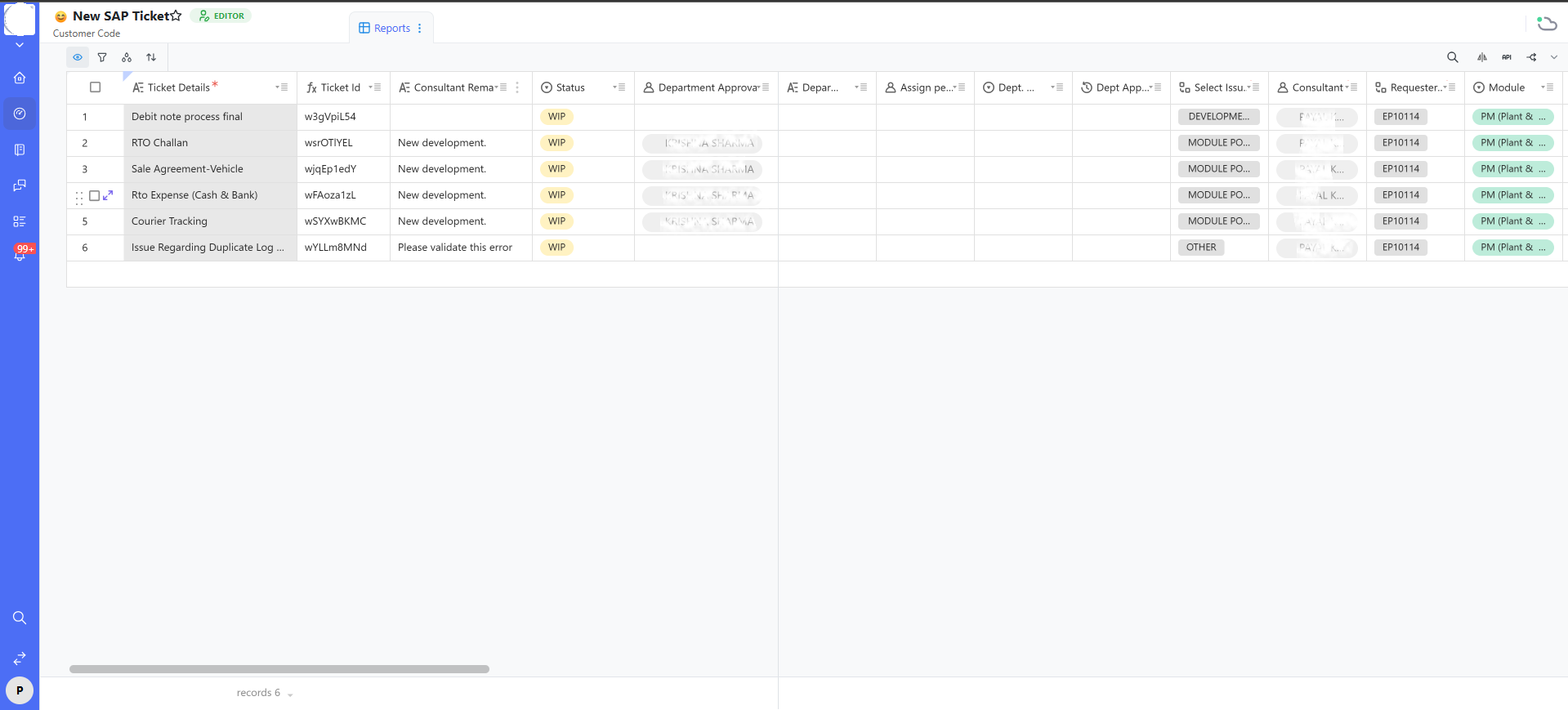
3. Build and save a personal "my open tickets" filtered view. Filter for Consultant = you and Status not equal to Issue Closed or Discard, then save it as your default landing view. This turns the shared board into a personal task list that requires zero manual rebuilding each morning.
4. Use Priority honestly, not habitually. If every ticket you raise or work is marked "High," the field stops carrying any real signal for anyone downstream. Reserve High specifically for issues that are genuinely business-blocking — this discipline is what makes Priority useful as a triage tool at all.
5. Escalate before the SLA date arrives, not after it's already passed. The moment you can see a ticket is at genuine risk — not "might slip a little" but realistically going to breach — that's the correct moment to use the escalation workflow (see Automated Routing & Escalations), not the day after the deadline when the damage is already done.
6. Review breached tickets periodically, as a pattern, not a blame exercise. Look back at tickets that did miss SLA and ask honestly whether the cause was requester delay, an external dependency, or genuine internal capacity shortage. This data should shape future SLA targets and staffing decisions — not become a tool for pointing fingers at individuals.
FAQs:
Q 1. How often should I review open tickets?
Daily for most active support desks.
Q 2. Fastest way to spot at-risk tickets?
Filter by open status, sort by Ageing Total descending.
Q 3. Priority or Ageing Total — which drives work order?
Use both together for the most accurate picture.
Q 4. Can Hoicko auto-alert before an SLA breach?
Depends on your board's configured automations.
Q 5. Ticket delayed due to the requester — what should I log?
Note it clearly in the Consultant Remark with a date.
Q 6. Does fast closing always mean good performance?
No — skipping UAT can cause reopened tickets later.
Related content
Is this article helpful?
Help us improve our articles.