
Understanding the CRM Home Dashboard
Understanding the CRM Home Dashboard
Updated 8/12/20261 min read
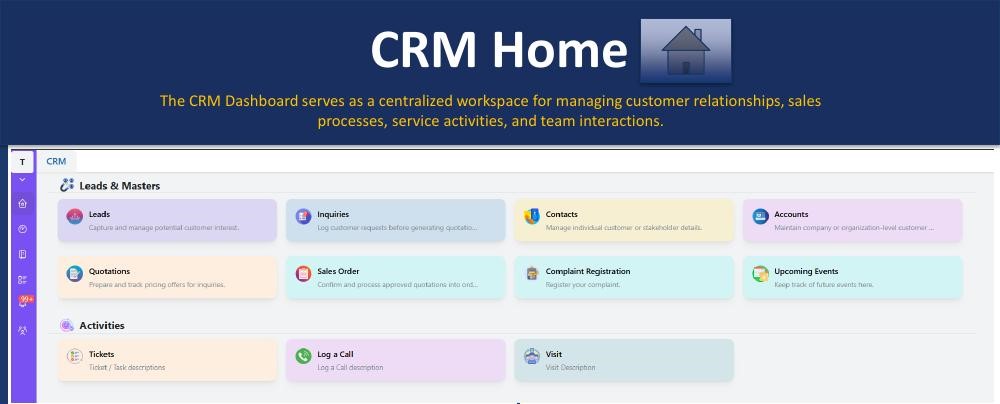
The Hoicko CRM Home dashboard is the centralized workspace for managing leads, inquiries, accounts, contacts, quotations, sales orders, complaints, and daily activities—all accessible from one screen.
Leads & Masters tiles:
- Leads — capture and manage potential customer opportunities
- Inquiries — record customer requirements before quotation creation
- Contacts — maintain customer and stakeholder contact information
- Accounts — manage organization/customer account details
- Quotations — create, track, and manage customer quotations
- Sales Orders — convert approved quotations into sales orders
- Complaint Registration — log and track customer complaints
- Upcoming Events — monitor meetings, follow-ups, and scheduled activities
Activities tiles:
- Tickets — create and track service requests, issues, and tasks
- Log a Call — record customer interactions and communication history
- Visit — capture customer visit details and field activity records
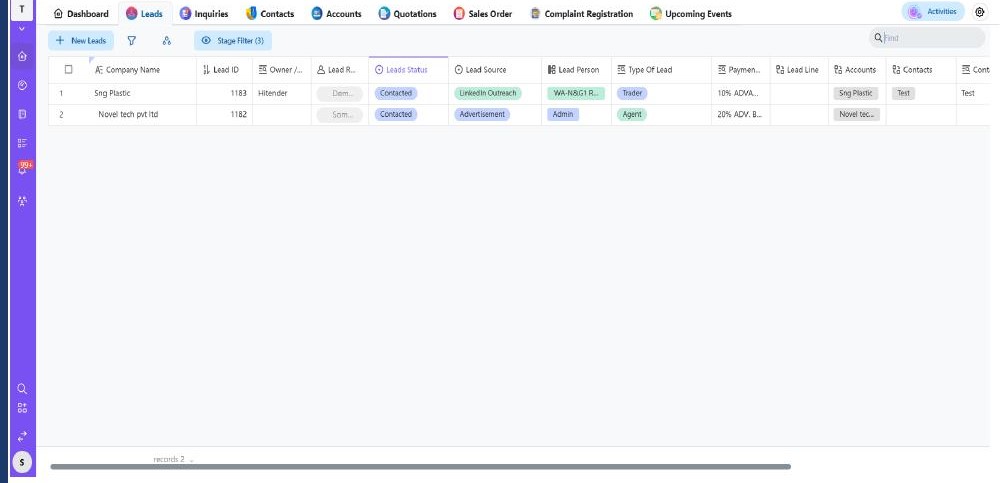
How to get there: Click the CRM icon in the left menu bar, or navigate via Home → any module (Leads, Inquiries, Accounts, Contacts, etc.).
Is this article helpful?
Help us improve our articles.