
Setting Up RBAC in TatvaAI
Updated 8/31/20262 min read
In any organization, giving every employee access to every piece of data isn't advisable — not for security, and not for compliance. TatvaAI's role-based access control (RBAC) system ensures each user only sees the data that is relevant and authorized for their role.
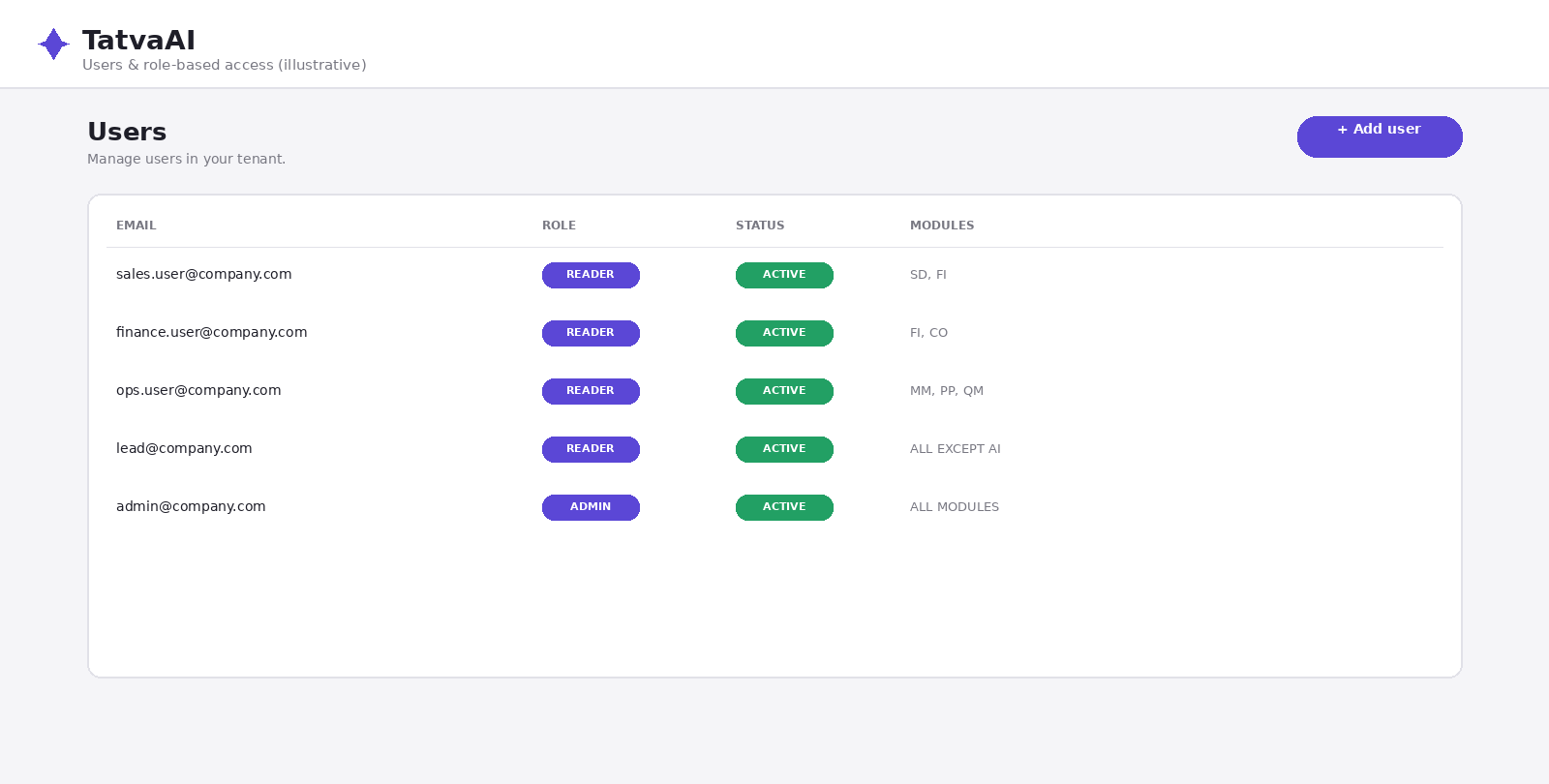
What RBAC Is
Role-Based Access Control is a security model where, instead of assigning permissions to individuals one by one, users are assigned roles (such as "Sales Executive," "Finance Manager," "Admin"), and each role carries specific data-access permissions.
The Admin's Role in TatvaAI
The admin account holds the most control:
- Adding new users and assigning them roles
- Defining data-domain access for each role (such as Sales only, or Sales plus Finance)
- Monitoring credits and usage
- Reviewing access logs
Typical Roles and Their Access
In a typical business setup, roles might look like this:
- Sales roles — access to sales orders, customer, and revenue data, but not Finance or Fraud/Audit modules
- Finance roles — access to receivables, payments, and cash-related modules
- Operations/Materials roles — access to vendor, inventory, and production data
- Leadership/Admin roles — cross-domain access, including Control Center and Forecasts
Things to Consider When Setting Up RBAC
- Follow the principle of least privilege — give each role only the access it needs for its work
- Restrict sensitive modules — keep Fraud/Audit or Risk modules limited to senior roles only
- Review periodically — update access permissions when an employee's role changes
- Build an onboarding process — have a clear process for what role and access new employees receive
The Business Benefit of RBAC
A well-configured RBAC setup delivers two benefits: first, data security and compliance stay intact; second, teams aren't overwhelmed with irrelevant information, keeping their focus on their own work without distraction.
FAQ
Q 1. What is RBAC?
A system where users get specific data access based on their assigned role.
Q 2. What can an admin do in TatvaAI?
Add users, assign roles, and review access logs.
Q 3. Does every role have different access?
Yes, each role carries specific data-domain permissions.
Q 4. How should sensitive modules be protected?
By restricting them to senior or specific roles only.
Q 5. What's the business benefit of RBAC?
Better data security and sharper team focus.
Related content
Is this article helpful?
Help us improve our articles.