
Issuing Certificates to Learners
Updated 8/18/20262 min read
Certification is often the final, tangible outcome of a training program — proof that a learner has met the required standard. Taksha LMS supports two ways to issue certificates, depending on how much oversight you want in the process.
Automatic certificate issuance: Once enabled for a course or program, certificates are issued instantly the moment a learner meets the defined passing criteria — no manual step required. This is ideal for high-volume training where manual review for every learner isn't practical.
Manual certificate issuance: In this mode, an administrator reviews a learner's results before issuing the certificate themselves. This is useful for programs where a human check is valuable — for example, verifying a Physical Exam result was entered correctly before certification is granted.
How to set up certification for a course or program:
- Open the course or program's settings
- Enable the certification option
- Define the passing criteria required to trigger certification (e.g., minimum quiz score, full course completion)
- Choose automatic or manual issuance
- Save your settings
Best practices for certification setup:
- Set passing criteria that genuinely reflect the skill or knowledge being certified — overly lenient criteria weaken the value of the credential
- Use manual issuance for high-stakes certifications where a human review step adds meaningful oversight
- Periodically review your Certified Rate on the dashboard to understand how certification trends are moving over time
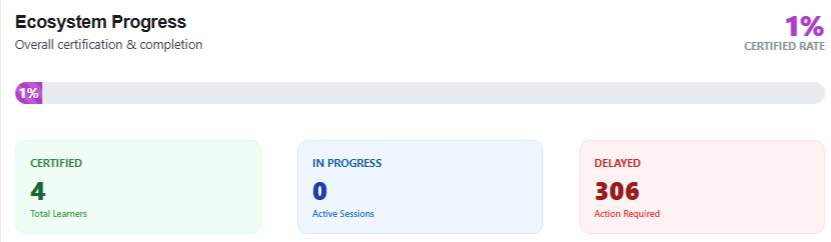
Where certified learners appear: Once issued, certified learners are reflected in the Ecosystem Progress section of your dashboard, under the Certified category — giving you both an individual and an organization-wide view of certification outcomes.
Certification isn't just a formality — for many organizations, it's the auditable proof that compliance or skills requirements have genuinely been met.
FAQs:
What's the difference between automatic and manual certificate issuance?
Automatic issues instantly on passing; manual requires admin review first.
Where do certified learners appear?
Under the Certified category in the Ecosystem Progress dashboard.
Related content
Is this article helpful?
Help us improve our articles.