
Adding Chapters to a Course
Updated 8/18/20261 min read
Chapters are the organizational backbone of your course, grouping related topics into clear sections. This article covers everything you need to know about managing chapters effectively.
Adding a new chapter:
- Open the course you want to edit
- Go to the Chapters tile within the course
- Click Add Chapter
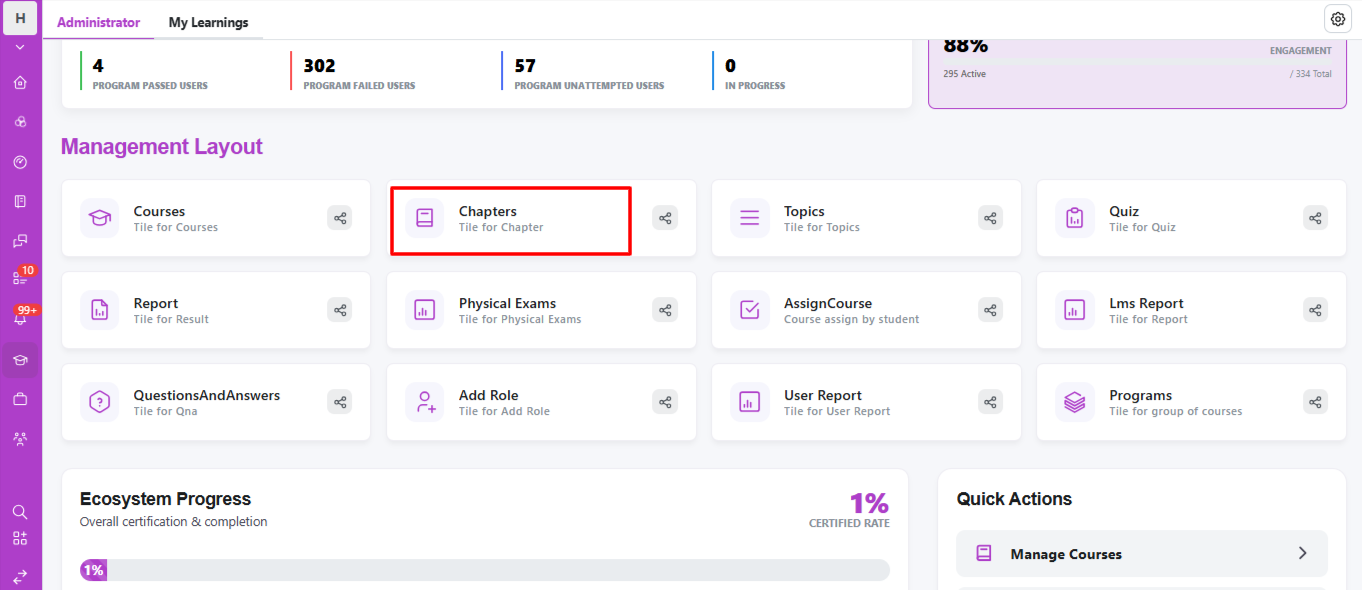
- Name it clearly—for example, "Module 1: Introduction to Company Policies" rather than a generic "Chapter 1."
- Save the chapter, then start adding topics inside it
Reordering chapters: As your course evolves, you may need to change the sequence of chapters. Taksha LMS allows you to reorder chapters by dragging them into the desired position—useful when you add new content that needs to appear earlier or later in the learning path.
Editing an existing chapter: Click on any chapter to rename it, update its description, or view the topics inside it. Changes save automatically and are reflected immediately for any learners currently working through the course.
Best practices for chapter naming:
- Use action-oriented or outcome-based titles (e.g., "Setting Up Your Workspace" instead of "Chapter 2")
- Keep chapter titles short enough to display fully in the learner's course menu
- Group topics under a chapter only if they genuinely relate to the same theme—avoid forcing unrelated content together just to reduce chapter count
Chapters that are logically grouped and clearly named make it significantly easier for learners to track where they are in a course and what's coming next.
FAQs:
Can I reorder chapters after adding them?
Yes, chapters can be dragged and reordered anytime.
What makes a good chapter title?
Clear, outcome-based names instead of generic labels like "Chapter 1".
Related content
Is this article helpful?
Help us improve our articles.